

ZAP Search
ZAP Search allows users to search across all clinical documents retrieved by Zus, helping care teams find the right information faster.
ZAP Search searches across all clinical documents in a patient’s ZAP to help users quickly find relevant information.
When to use ZAP Search
ZAP Search is useful when you want to quickly locate information within clinical documents, such as:
- Evidence of a screening or procedure
- Symptoms mentioned in clinical notes
- Historical documentation of a condition
- References to hospitalizations or encounters
If you are reviewing structured data such as medications, conditions, or lab results, you may prefer to navigate directly to those sections of the ZAP.
How ZAP Search works
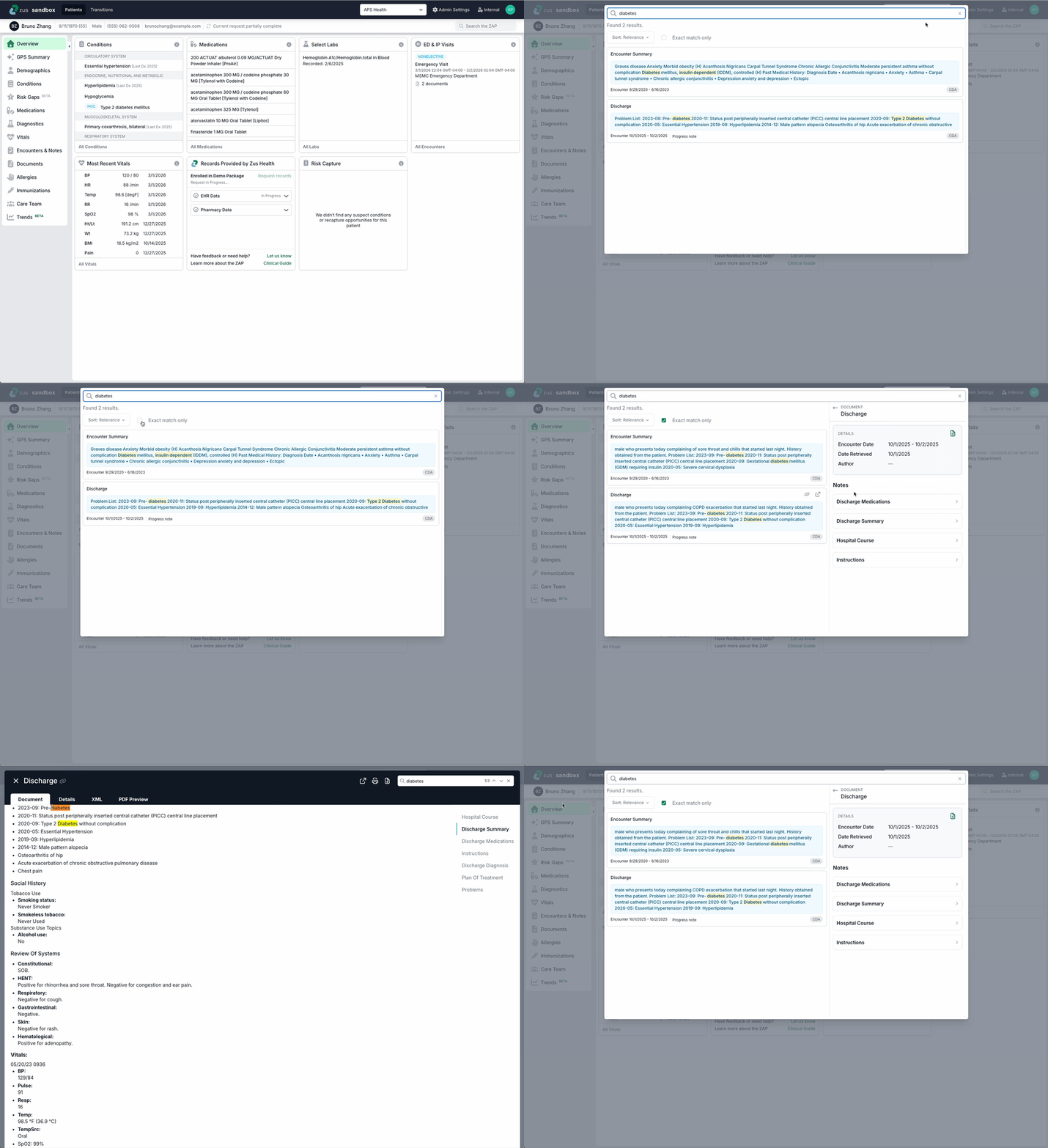
- Enter a search term (a keyword or phrase) into the ZAP Search field.
- Results are returned from clinical documents associated with the patient.
- Results are sorted by relevance, based on how closely the document text matches your query and how frequently the search term appears in documents. Users can also choose to sort by date.
- Each result shows a text snippet from the document for context.
- Click a result to open the side panel.
- From the side panel, select Source Document to open the full document in the document viewer.
Smart Search
By default, ZAP Search searches not just for the provided search term, but also closely related terms using Smart Search. For example, if a user enters hypertension, ZAP Search will search for hypertension, high blood pressure, elevated blood pressure, htn, and other related terms.
Users can also select Exact match only to turn off Smart Search.
Current limitations
Today, ZAP Search only searches the contents of CDA documents within a patient's ZAP. PDFs, images, and non-CDA files are not currently searchable. We plan to add the ability to search this information in future releases.
Updated 5 months ago