

Welcome to the Zus Clinical Guide
Your Gateway to Comprehensive Patient Health Records
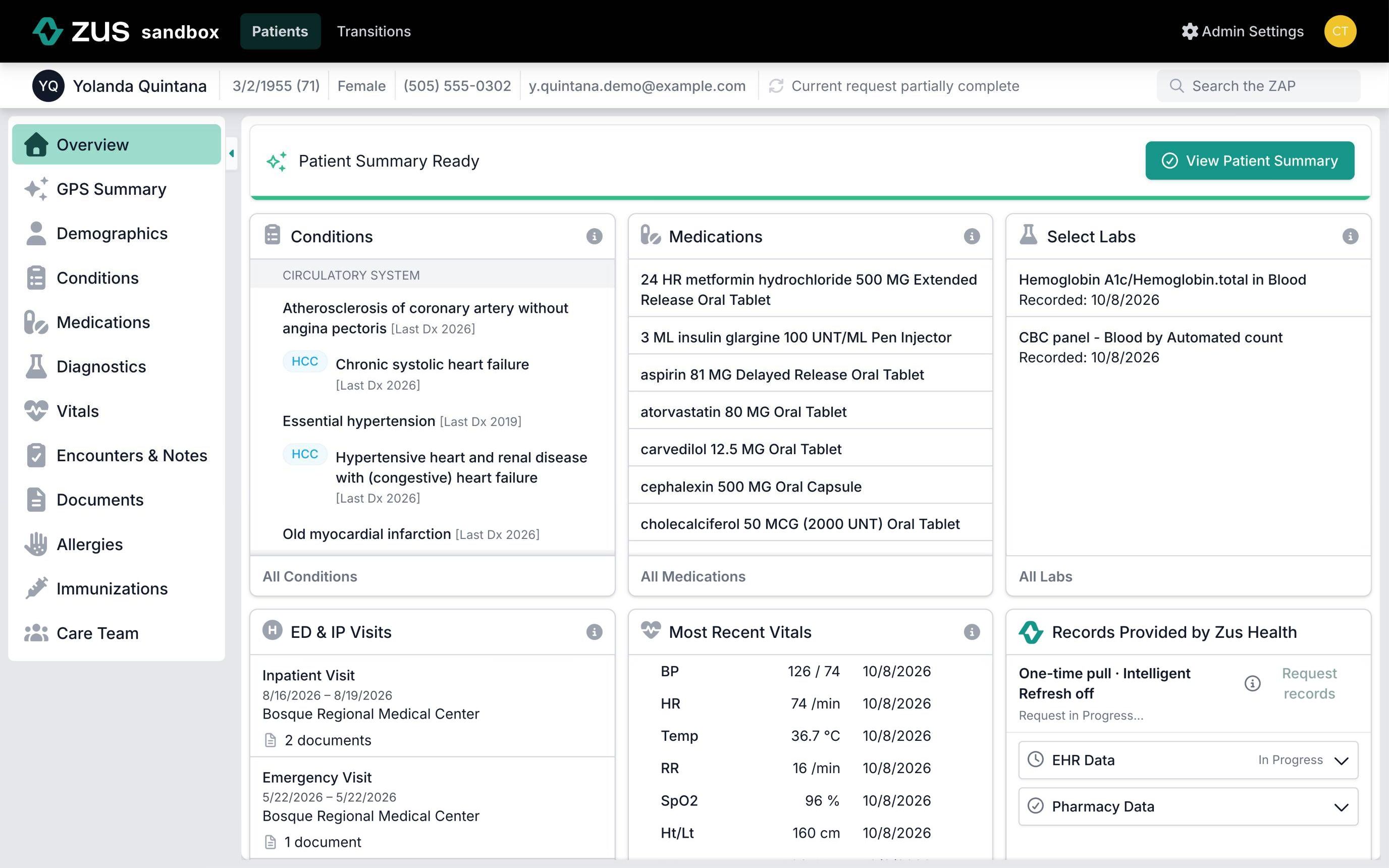
Introducing the Zus Aggregated Profile
With the Zus Aggregated Profile or ZAP, providers can see records from outside providers in one place, so they can get familiar with new patients quickly and make more informed decisions about their care. The ZAP helps whether you're reviewing past treatments, identifying potential risks, or coordinating care plans.
Where ZAP data comes from
Along with your organization's own data, the ZAP pulls records from:
- EHR networks: records from other provider sites through CommonWell, Carequality and TEFCA. Most are C-CDA documents, plus some PDFs and images.
- Pharmacy: prescription fill history from Surescripts.
- Hospital alerts: admission, discharge and transfer notices from ADT networks and state health information exchanges.
- Labs: lab history and new results from Quest Diagnostics.
For enrolled patients, Zus refreshes records when new data is likely, such as after a hospital admission or before a visit, so recent care can take time to appear. Pharmacy history can take up to 48 hours. See Accessing the ZAP and Intelligent Refresh.
Why a record might be missing
- The facility isn't on the national networks. Smaller clinics and behavioral health providers take part less often.
- The patient was seen in a restricted department that needs a special consent, or the patient opted out of record sharing.
- The facility limits what it shares, for example only the last two years, or is switching EHRs.
- Less often, Zus didn't search the site where the patient was seen.
Learn more on EHR Networks.
How to use this guide:
This guide is written for clinical teams. It's designed to give you a broad understanding of how the ZAP brings records from outside providers into your workflow.
Option 1: Get started quickly
If you're pressed for time or want to get an overview of how the ZAP works, start here and spend 5-10 minutes reading through this section.
Option 2: Dive deep into the available types of patient information
Here, we'll explore each type of clinical record in the ZAP a little more deeply. If you're curious about how Zus sources these records or if you notice something peculiar about certain records, you'll likely find answers here.
Option 3: Review examples of clinical workflows specific to your practice
How the ZAP works with your EHR may vary from other EHRs that use the ZAP. You may also use Zus's native web application to access patient records. Regardless, in these sections, we'll dive a little deeper into each workflow and provide specific details for using the ZAP in your setting.
Updated 10 days ago