

The Overview
The first screen in a patient's ZAP: summary cards for conditions, medications, labs, visits and more.
The Overview is your landing spot when opening a patient's ZAP. It provides a single summary view of select patient records.
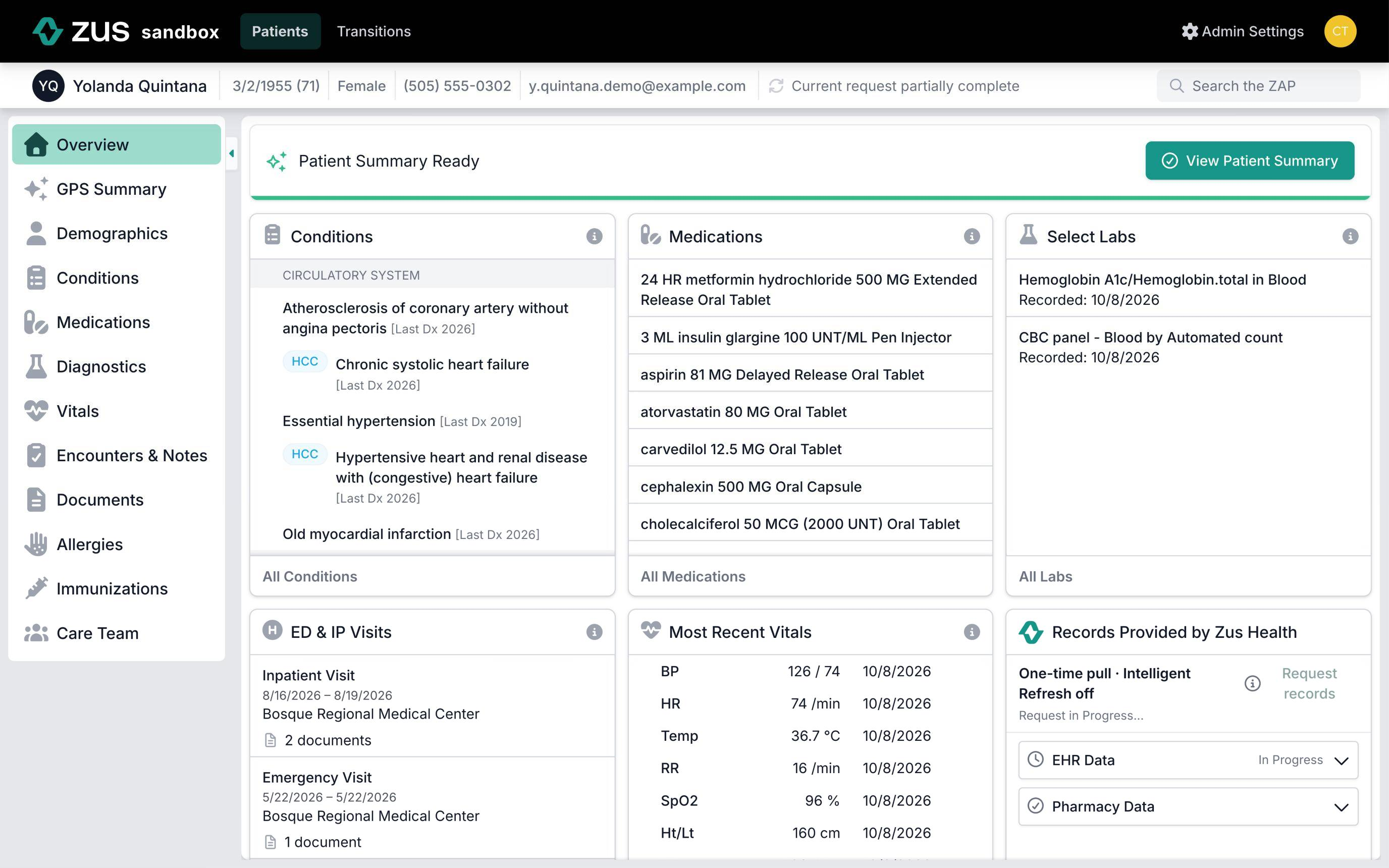
The overview includes the following cards:
- Conditions: Chronic Conditions and acute HCCs. Acute HCCs are conditions that the Chronic Condition Indicator marks as acute and that also map to an HCC. Learn more
- Medications: Medications with a fill or prescription in the prior six months.
- Selected Labs: The most recent comprehensive metabolic panel (CMP), complete blood count (CBC), and/or A1c.
- ED & IP Visits: Emergency, inpatient, observation and pre-admission visits from the past year.
- Icons flag behavioral health admissions, readmissions and non-elective admissions (direct, holding or emergency).
- Click a visit to see the documents from that hospitalization, including discharge notes.
- Most Recent Vitals: Displays most recent available recorded vitals
- Zus information: Outside records sources and refresh information
- The status at the top shows the latest activity across all sources.
- Expand the EHR row to see the status and time for each network. Pharmacy data from Surescripts has its own section.
- In Progress means a request is running now. Queued means it's waiting to start.
- Groups with errors are expanded. Successful groups are collapsed.
- To learn when records refresh, see Intelligent Refresh.
The ℹ️ information icon at the top right of each card explains what information is summarized in the overview.
Items listed in each card can be clicked to open a side panel with more details. Each overview card shows a subset of the available records. To see the full view of a given record, click on the link at the bottom to view all.
Updated 14 days ago
Did this page help you?