

Demographics
A patient's contact information and the sources behind their record, plus insurance and extra addresses in the Zus Web App.
The Demographics component allows users to view two key types of information: patient contact information and data sources contributing to a patient's record. In the Zus Web Application, this also includes extended demographic information about the patient such as insurance and secondary addresses (if available).
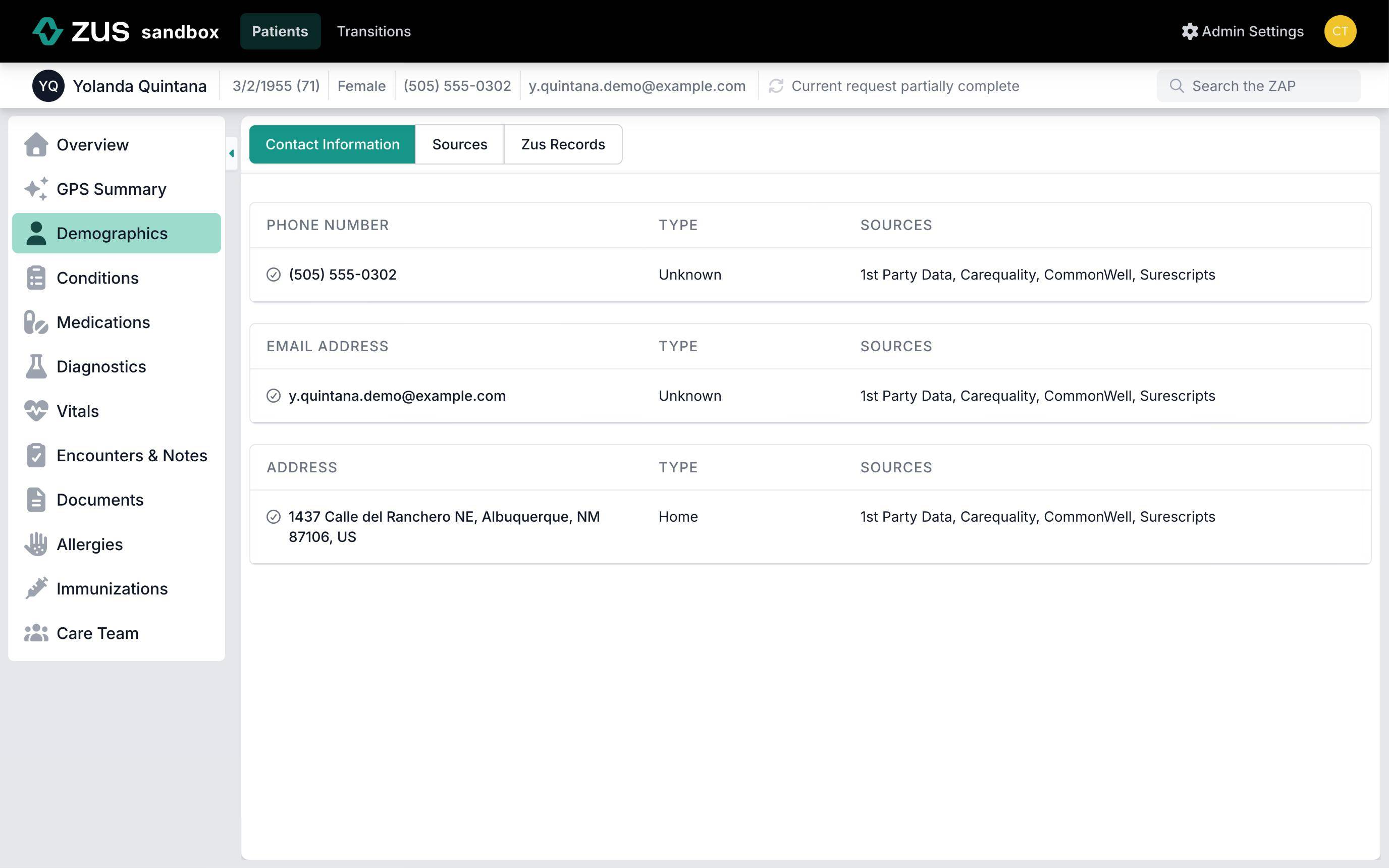
Contact Information
The first, Contact Info contains the following data:
- Phone numbers, e-mail addresses, and geographic addresses for the patient.
- The Type of each phone number, e-mail address, or address. For example a phone number might be mobile, home, or something else.
- Sources: The sources that reported the individual phone number, email address, or address.
Contact Information is Ordered by FrequencyThe data in the contact information sections are ordered by the frequency by which they appear in Zus data. So phone numbers that appear the most often will be listed on top, etc.
Sources
The Sources section has information about data sources with the following information included:
- Date: The date the record was retrieved.
- Source: The source of the data. This might be an EHR, a Provider Organization, a Hospital, or other entity that contributed patient data.
- Patient Details: The name, date of birth, and administrative gender of the patient record that was retrieved.
- Contact info: The phone number and email address listed for the patient from that source.
Check for mismatched recordsThe Sources section lets you compare what each source reported. If details don't line up, records from two different people may have been linked to this patient. Watch for:
- A gender that differs between sources
- Dates of birth that are slightly off, which is common with twins and newborns
- Names, contact details or medical record numbers that switch back and forth between sources
- Phone numbers or addresses that change often
If you spot one, contact support with the patient's UPID (Universal Patient Identifier) and what you noticed. Zus support will review and split the records if needed, so the patient's UPID may change.
Zus Web App
In the Zus Web App patient Demographics, Contact Information, and Sources are listed in the "Demographics" tab in the left menu.
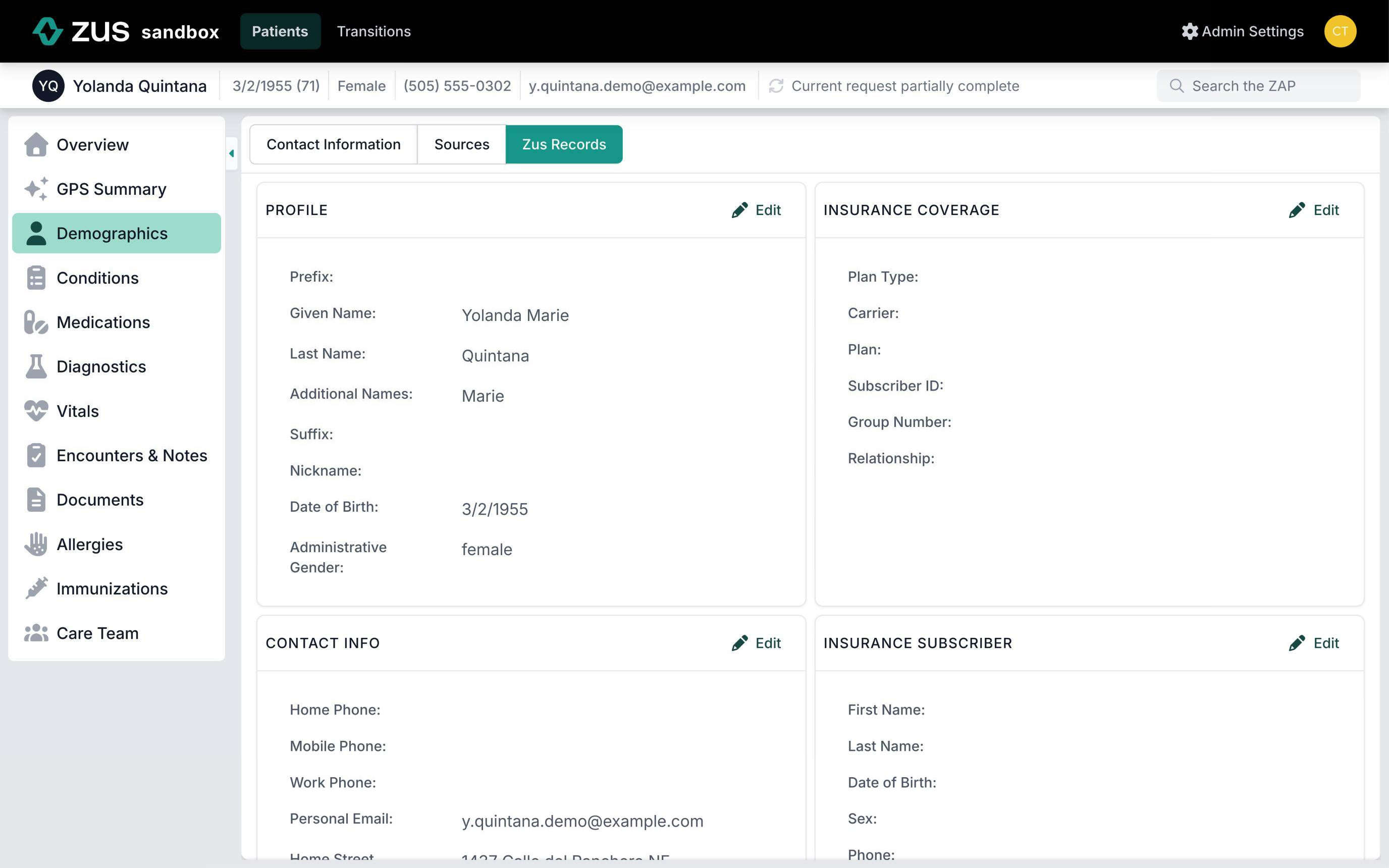
Zus Records
This section shows the patient record with editable fields. NOTE Editing patient demographics in this view does not propagate those changes into other systems connected to Zus.
Updated 21 days ago